 Panasonic Electric Works Networks Co., Ltd. > Support > Setting Examples > DHCP Snooping Setting Procedure(GA-MU/XG-MU Series)(for WEB)
ここから本文です。
DHCP Snooping Setting Procedure(GA-MU/XG-MU Series)(for WEB)
Introduction
In this setting example, we will explain the DHCP Snooping settings for the GA-MU/XG-MU series.
Applicable models
Overview
DHCP Snooping is a function that monitors DHCP requests and responses between the DHCP server and clients, preventing DHCP server spoofing and blocking connections from clients that have not been assigned IP addresses by a DHCP server.
Configuration Example
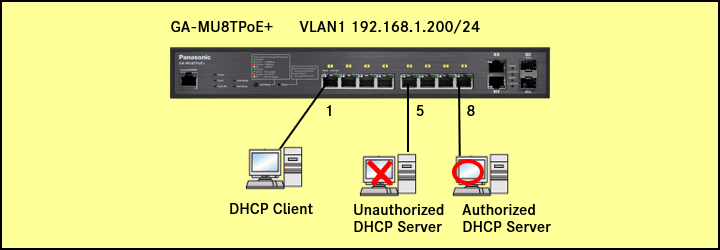
Explanation
Allow IP addresses to be assigned only from DHCP servers connected to specified ports.
Allow only DHCP clients connected to specified ports to receive IP addresses from the DHCP server and connect to the network.
Setting Procedure
Step 1.
Connect the PC to the LAN port of the switching hub.
Step 2.
On the login screen, enter the User Name and Password to log in to the Web interface.
Step 3.
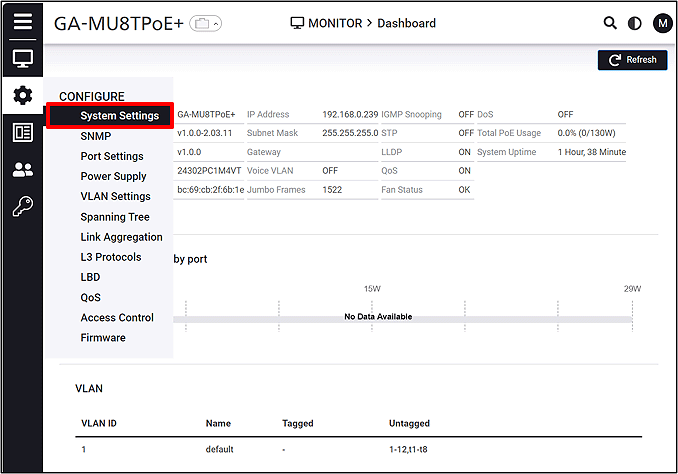
Follow the steps below to proceed to IP Settings.
CONFIGURE > System Settings > IP Settings
Step 4.
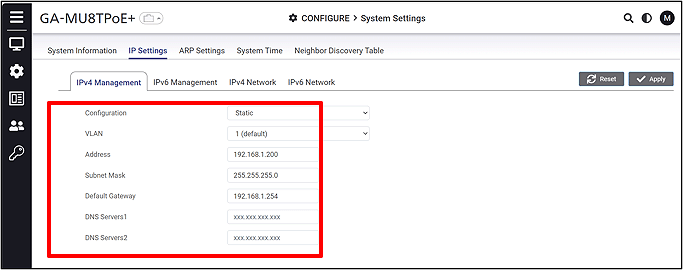
Change the IP Address. (IP:192.168.1.200 Subnet Mask:255.255.255.0)
Step 5.
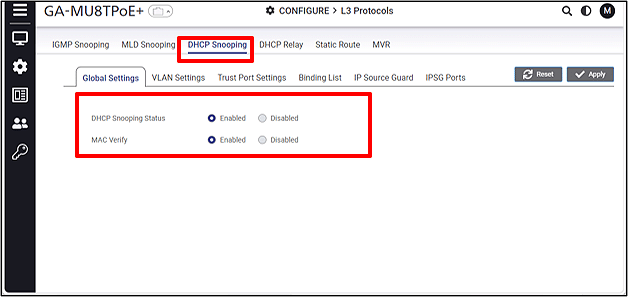
Enable DHCP Snooping.
CONFIGURE > L3 Protocols > DHCP Snooping > Global Settings
Step 6.
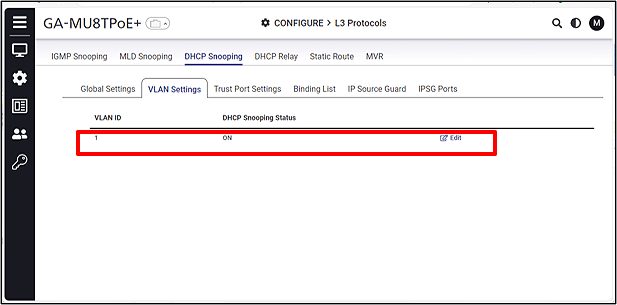
Enable DHCP Snooping for each VLAN.
CONFIGURE > L3 Protocols > DHCP Snooping > VLAN Settings
Step 7.
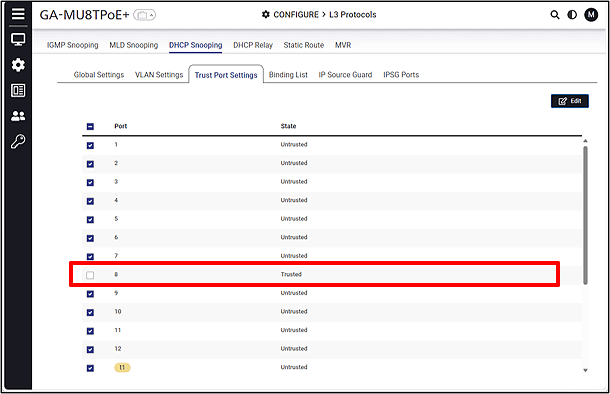
Select the ports and change them to Untrusted ports
(Port 8, which is connected to the DHCP server, should be set as a Trusted port, while the other ports should be set as Untrusted ports).
CONFIGURE > L3 Protocols > DHCP Snooping > Trust Port Settings
ここからサブメニューです。