 Panasonic Electric Works Networks Co., Ltd. > Support > Setting Examples > Link Aggregation Setting Procedure(GA-MU/XG-MU Series)(for WEB)
ここから本文です。
Link Aggregation Setting Procedure(GA-MU/XG-MU Series)(for WEB)
Introduction
In this setting example, we will explain the link aggregation settings for the GA-MU/XG-MU series.
Applicable models
Overview
Link aggregation is a function that bundles multiple physical ports to increase the bandwidth between switches.
At the same time, it provides link redundancy.
Configuration Example
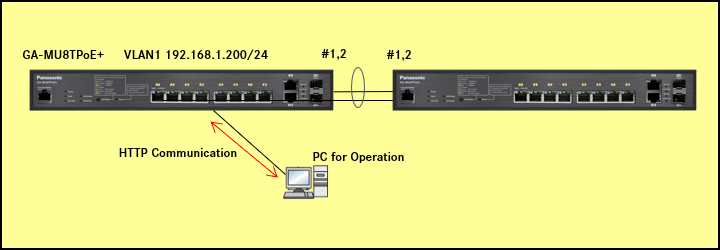
Explanation
- Two GA-MU8TPoE+ units are connected using link aggregation.
- The mode is set to LACP (Active).
When using LACP, the mode must be configured as either Active-Active or a combination of Active-Passive.
If LACP is not used, the mode must be configured as an on-on combination.
Setting Procedure
Step 1.
Connect the PC to the LAN port of the switching hub.
Step 2.
On the login screen, enter the User Name and Password to log in to the Web interface.
Step 3.
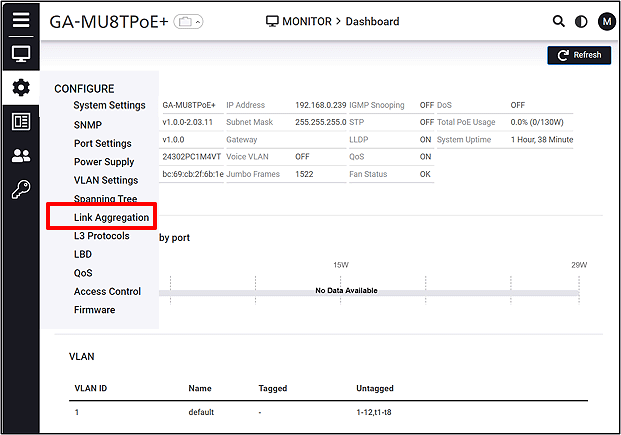
Follow the steps below to navigate to Link Aggregation.
CONFIGURE > Link Aggregation
Step 4.
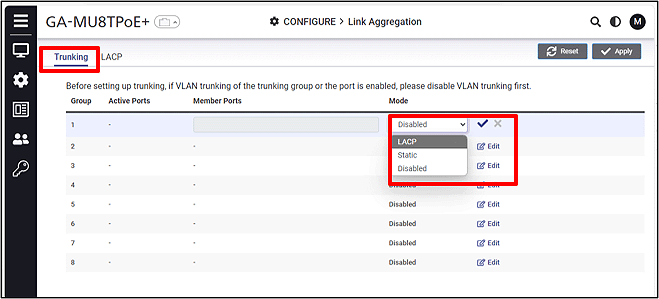
Click Edit for the group and select the mode (LACP Active).
Step 5.
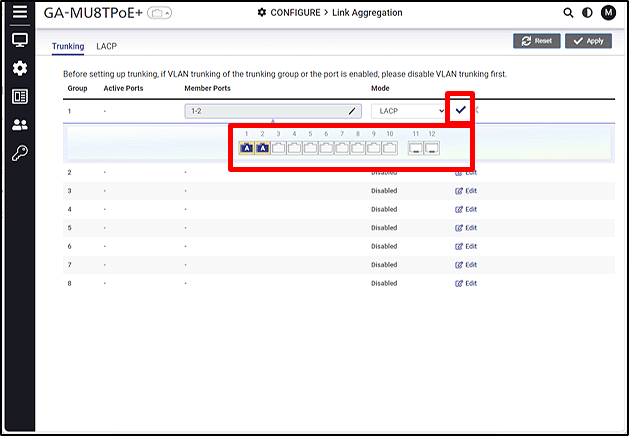
Select the trunking ports (click once for Active, click twice for Passive) and then click the  (check mark).
Step 6.
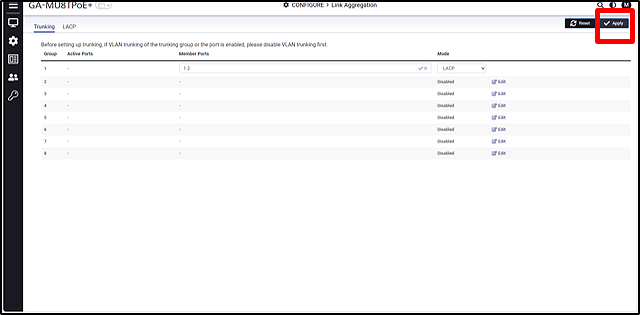
Click Apply to apply the settings.
Note: When applying LAG, loop detection is disabled on the ports.
ここからサブメニューです。