 Panasonic Electric Works Networks Co., Ltd. > Support > Setting Examples > IGMP Snooping Setting Procedure(GA-MU/XG-MU Series)(for WEB)
ここから本文です。
IGMP Snooping Setting Procedure(GA-MU/XG-MU Series)(for WEB)
Introduction
In this setting example, we will explain the IGMP Snooping settings for the GA-MU/XG-MU series.
Applicable models
Overview
IGMP Snooping is a function that monitors IGMP packets and filters traffic so that data is not sent to unnecessary devices, enabling efficient handling of large-volume data such as video streaming.
Configuration Example
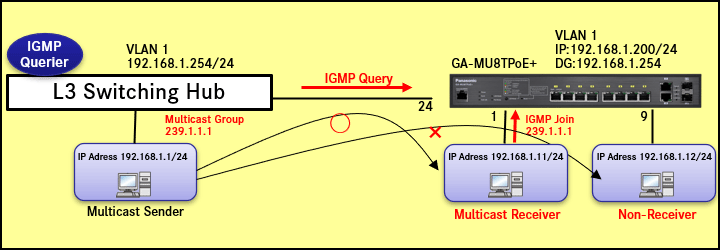
Explanation
- Ensure that the multicast receiving device connected to port 1 can receive multicast data.
- A multicast group is learned on the port that receives the IGMP Join.
Multicast data for the same group is forwarded to this port. - Ports that receive IGMP Query become router ports.
All multicast data is forwarded from the router ports. - All unregistered multicast packets are filtered.
- Refer to the IP Address Setting Procedure for how to configure the IP address and default gateway.
<Settings>
| Item | Default Settings | ||
|---|---|---|---|
| IGMP Snooping | Enable Settings(Global) | Global Settings | Disabled |
| Enable Settings(VLAN) | IGMP Snooping Status | OFF(V3) | |
Setting Procedure
Step 1.
Connect the PC to the LAN port of the switching hub.
Step 2.
On the login screen, enter the User Name and Password to log in to the Web interface.
Step 3.
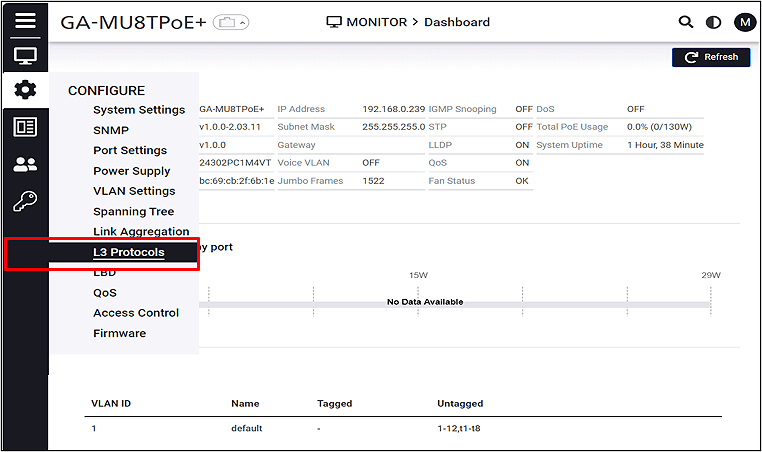
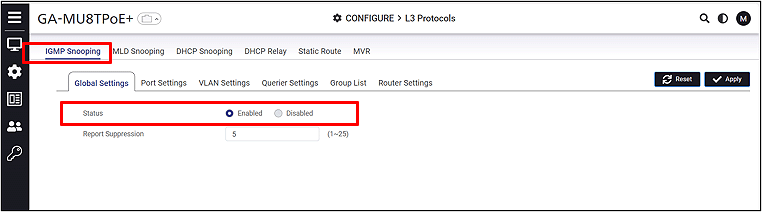
Enable IGMP Snooping globally.
CONFIGURE > L3 Protocols > IGMP Snooping
Step 4.
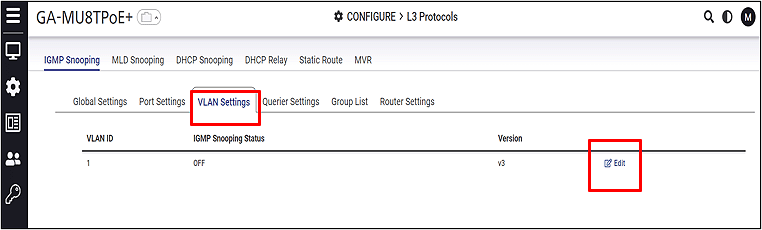
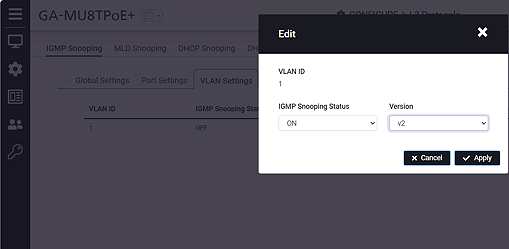
Enable IGMP Snooping on the VLAN 1 interface.
Step 5.
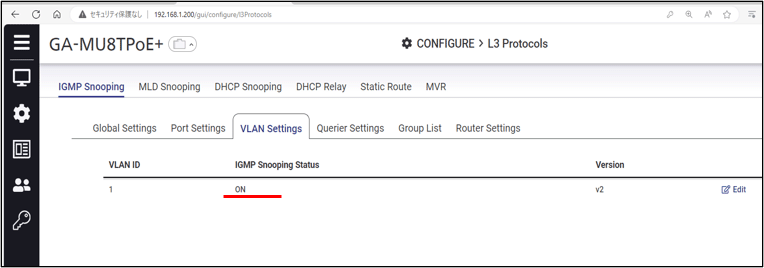
Verify that IGMP Snooping is enabled on VLAN 1.
ここからサブメニューです。