 Panasonic Electric Works Networks Co., Ltd. > Support > Setting Examples > IGMP Querier Setting Procedure(GA-MU/XG-MU Series)(for WEB)
ここから本文です。
IGMP Querier Setting Procedure(GA-MU/XG-MU Series)(for WEB)
Introduction
In this setting example, we will explain the IGMP Querier settings for the GA-MU/XG-MU series.
Applicable models
Overview
IGMP Querier is a function that performs the role of an IGMP-supported router or Layer 3 switch required for IP multicast distribution.
Configuration Example
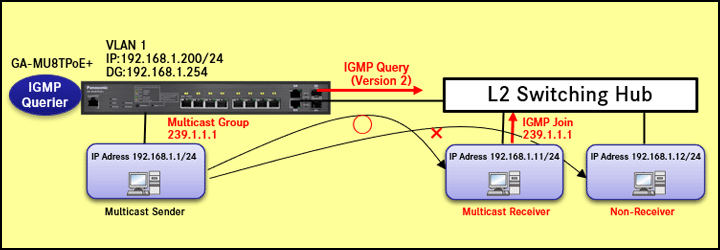
Explanation
- GA-MU8TPoE+ operates as an IGMP Querier.
- To operate as an IGMP Querier, it is necessary for IGMP Snooping to be enabled.
- IGMP Queries are sent at regular intervals (default: 125 seconds).
- Refer to the IP Address Setting Procedure for how to configure the IP address and default gateway.
<Settings>
| Item | Default Settings | ||
|---|---|---|---|
| IGMP Snooping | Enable Settings(Global) | Global Settings | Disabled |
| Enable Settings(VLAN) | IGMP Snooping Status | OFF(V3) | |
| IGMP Querier | Enable Settings(VLAN) | Querier State | OFF |
Setting Procedure
Step 1.
Connect the PC to the LAN port of the switching hub.
Step 2.
On the login screen, enter the User Name and Password to log in to the Web interface.
Step 3.
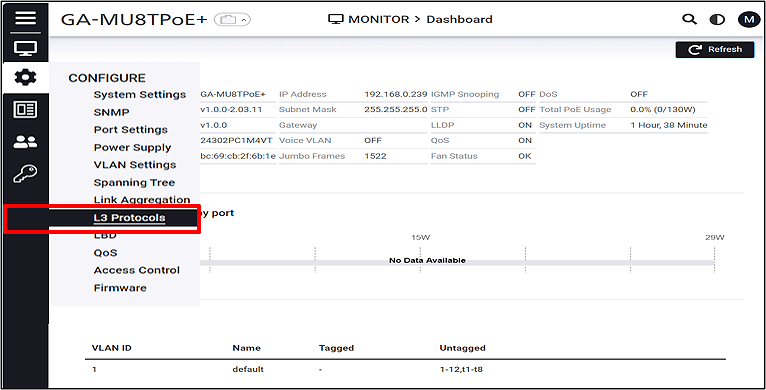
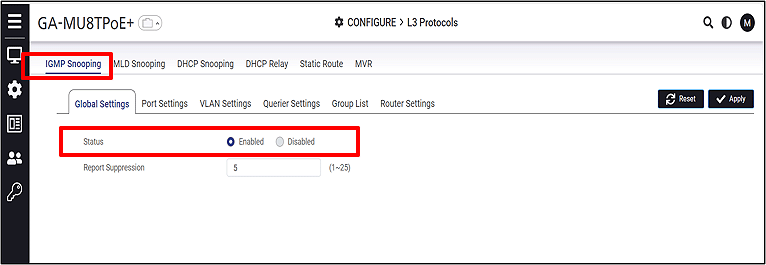
Enable IGMP Snooping.
CONFIGURE > L3 Protocols > IGMP Snooping
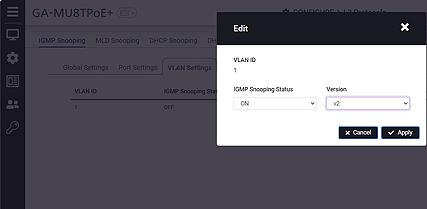
Step 4.
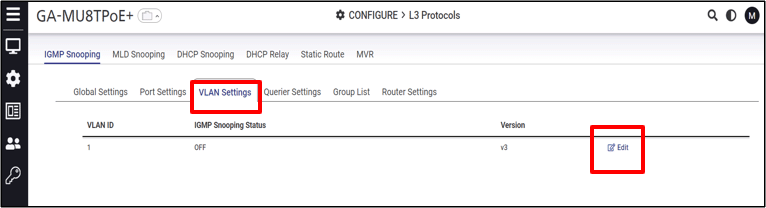
Enable IGMP Snooping on the VLAN 1 interface.
Step 5.
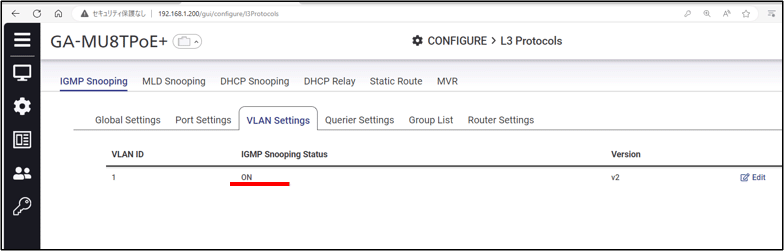
Verify that IGMP Snooping is enabled on VLAN 1.
Step 6.
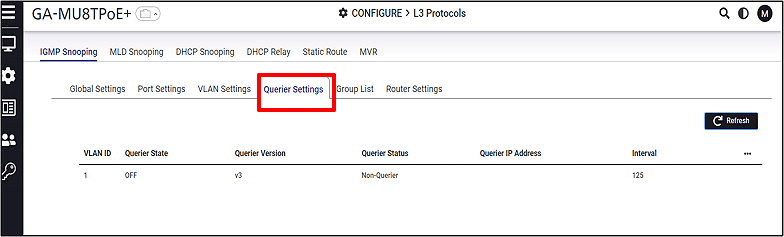
Enable the IGMP Querier.
CONFIGURE > L3 Protocols > Querier Settings
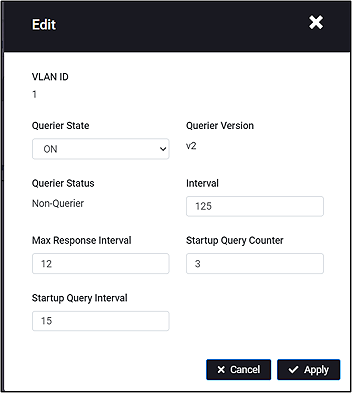
The Querier Version automatically switches to match the Snooping Version.
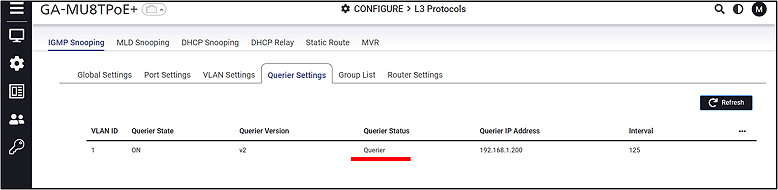
Step 7.
Verify that the IGMP Querier is enabled.
ここからサブメニューです。