 Panasonic Electric Works Networks Co., Ltd. > Support > Setting Examples > Static Route Setting Procedure(GA-MU/XG-MU Series)(for WEB)
ここから本文です。
Static Route Setting Procedure(GA-MU/XG-MU Series)(for WEB)
Introduction
In this setting example, we will explain the static route settings for the GA-MU/XG-MU series.
Applicable models
Overview
A static route is a route that is manually configured by an administrator to determine the optimal path to a destination network.
Configuration Example
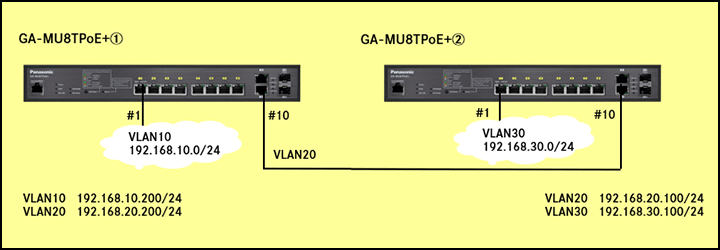
Explanation
Add a static route to enable communication between 192.168.10.0/24 and 192.168.30.0/24.
Setting Procedure
GA-MU8TPoE+①
Step 1.
Connect the PC to the LAN port of the switching hub.
Step 2.
On the login screen, enter the User Name and Password to log in to the Web interface.
Step 3.
Create a VLAN.
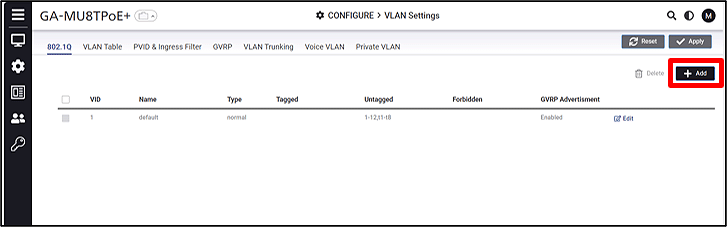
CONFIGURE > VLAN settings > 802.1Q
Click Add and create a VLAN.
Step 4.
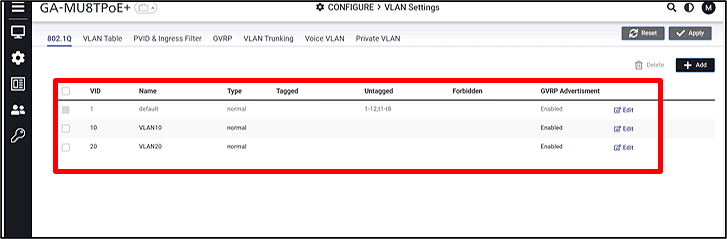
Add a VLAN. (VID:10 Name:VLAN10 VID:20 Name:VLAN20)
Step 5.
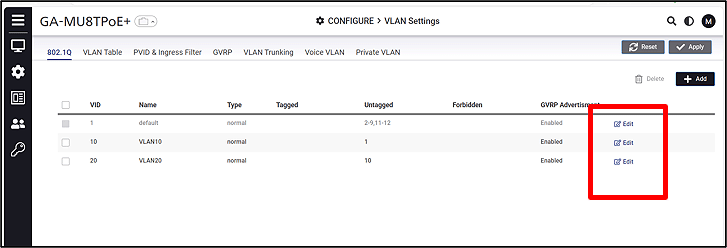
Click Edit and configure the VLAN members.
(VLAN1 Remove ports 1 and 10 from Untagged. VLAN10 Untagged:1 VLAN20 Untagged:10)
Step 6.
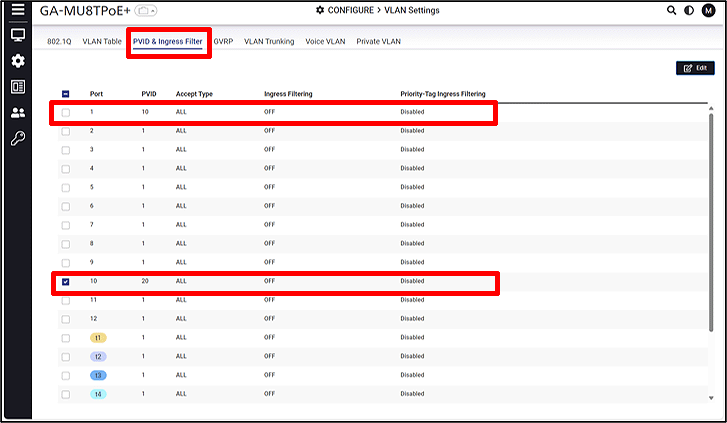
Set the PVID.
VLAN Setting > PVID & Ingress Filter
Select the port, click Edit, and set the PVID.
(Port:1 PVID:10 Port:10 PVID:20)
Step 7.
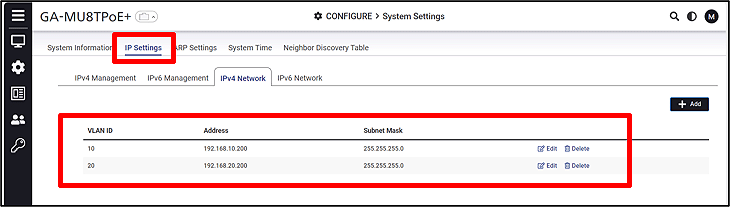
Set the IP address for the VLAN.
CONFIGURE > System Settings > IP Settings > IPv4 Network
(VLAN10:192.168.10.200/24 VLAN20:192.168.20.200/24)
Step 8.
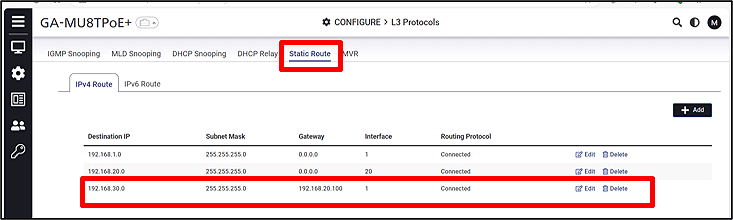
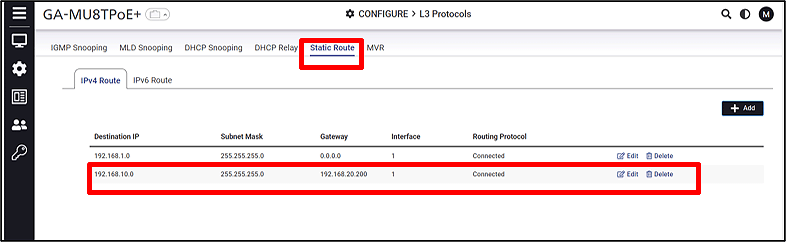
Configure the Static Route.
CONFIGURE > L3 Protocols > Static Route > IPv4 Route
(Destination IP:192.168.30.0/24 Gateway:192.168.20.100)
GA-MU8TPoE+②
Step 1.
Connect the PC to the LAN port of the switching hub.
Step 2.
On the login screen, enter the User Name and Password to log in to the Web interface.
Step 3.
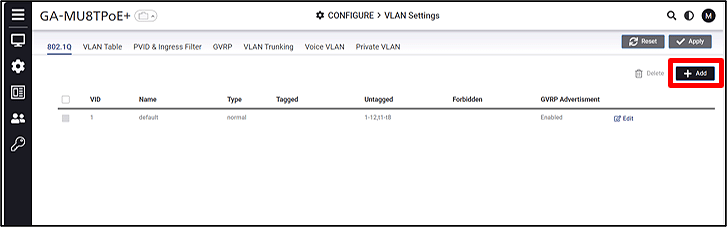
Create a VLAN.
CONFIGURE > VLAN settings > 802.1Q
Click Add and create a VLAN.
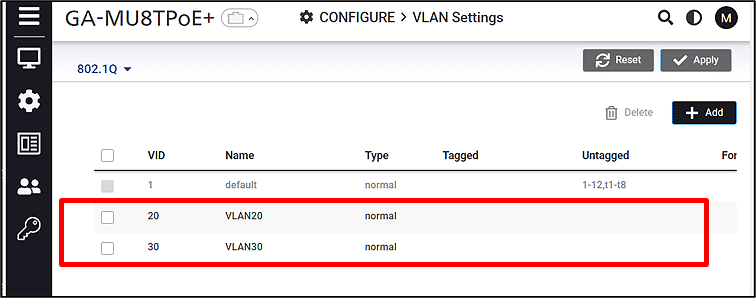
Step 4.
Add a VLAN. (VID:20 Name:VLAN20 VID:30 Name:VLAN30)
Step 5.
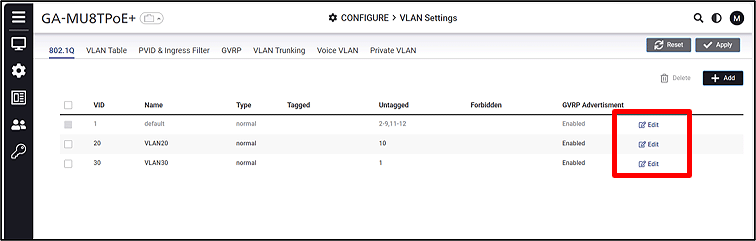
Click Edit and configure the VLAN members.
(VLAN1 Remove ports 1 and 10 from Untagged. VLAN20 Untagged:10 VLAN30 Untagged:1)
Step 6.
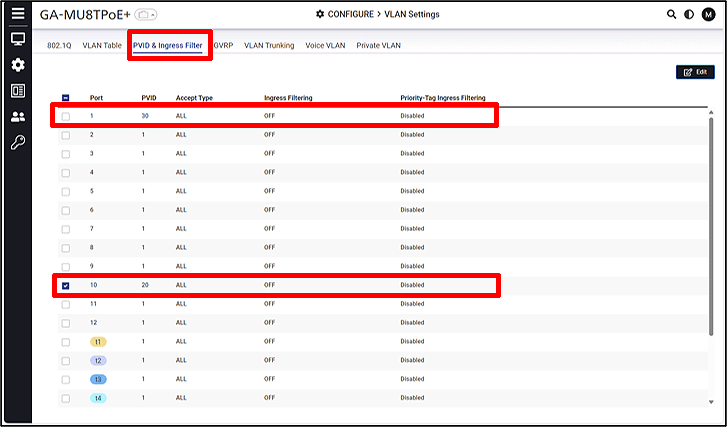
Set the PVID.
VLAN Settings > PVID & Ingress Filter
Select the port, click Edit, and set the PVID.
(Port:1 PVID:30 Port:10 PVID:20)
Step 7.
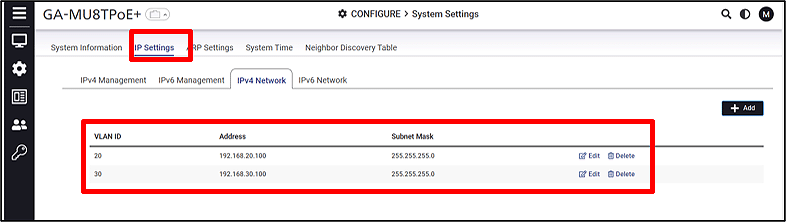
Set the IP address for the VLAN.
CONFIGURE > System Settings > IP Settings > IPv4 NetWork
(VLAN10:192.168.20.100/24 VLAN20:192.168.30.100/24)
Step 8.
Configure the Static Route.
CONFIGURE > L3 Protocols > Static Route > IPv4 Route
(Destination IP:192.168.10.0/24 Gateway:192.168.20.200)
ここからサブメニューです。