 Panasonic Electric Works Networks Co., Ltd. > Support > Setting Examples > SNMP Setting Procedure(GA-MU/XG-MU Series)(for WEB)
ここから本文です。
SNMP Setting Procedure(GA-MU/XG-MU Series)(for WEB)
Introduction
In this setting example, we will explain the SNMP settings for the GA-MU/XG-MU series.
Applicable models
Overview
SNMP is a protocol used for network monitoring and network management of IP networks.
Configuration Example
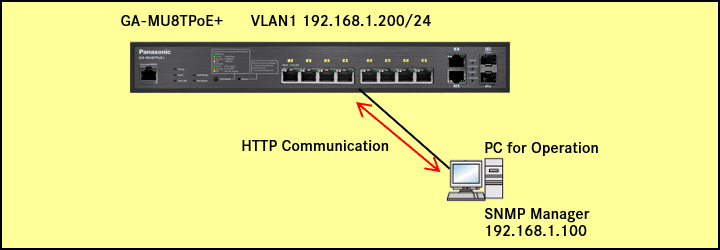
Explanation
- GA-MU8TPoE+ is monitored via SNMP from the SNMP server (IP address: 192.168.1.100).
- SNMP traps are sent from the GA-MU8TPoE+ to the SNMP server.
Setting Procedure
Step 1.
Connect the PC to the LAN port of the switching hub.
Step 2.
On the login screen, enter the User Name and Password to log in to the Web interface.
Step 3.
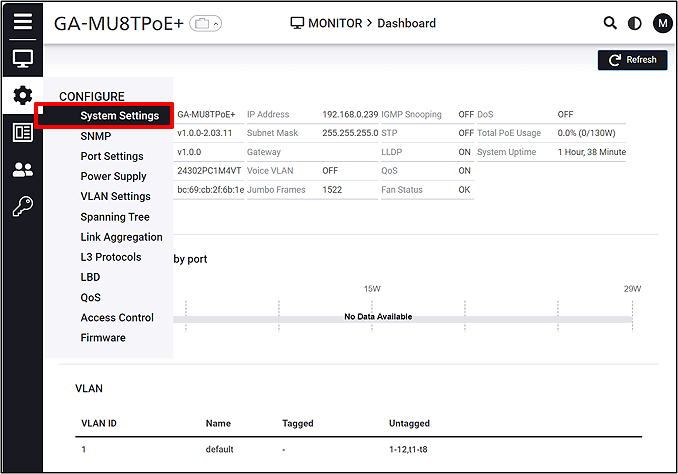
Follow the steps below to proceed to IP Settings.
CONFIGURE > System Settings > IP Settings
Step 4.
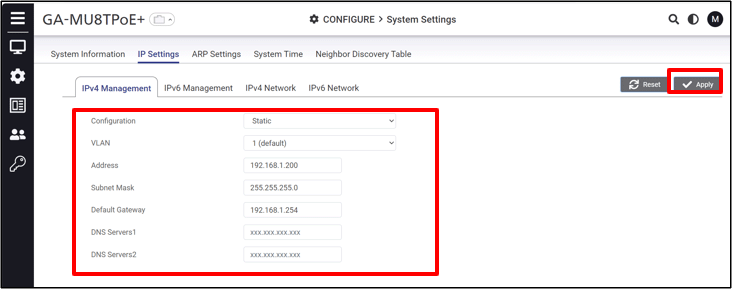
Change the IP Address. (IP:192.168.1.200 Subnet Mask :255.255.255.0)
Step 5.
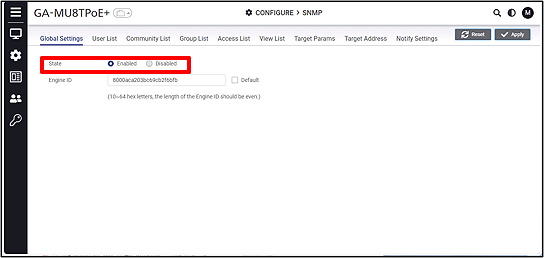
Enable SNMP (default: enabled).
CONFIGURE > SNMP
Step 6.
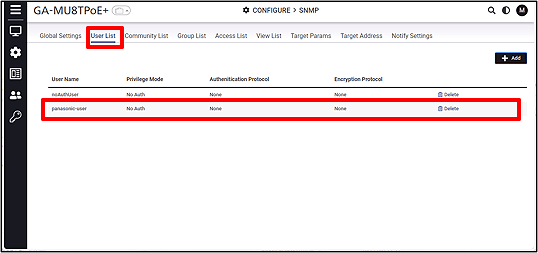
Create an SNMP security user for notification transmission.(User Name:panasonic-user)
Step 7.
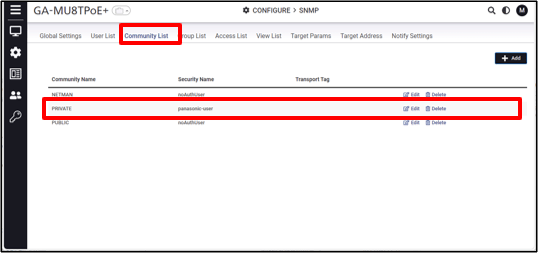
Create an SNMP community. ( Community :PRIVATE Security Name:panasonic-user)
Step 8.
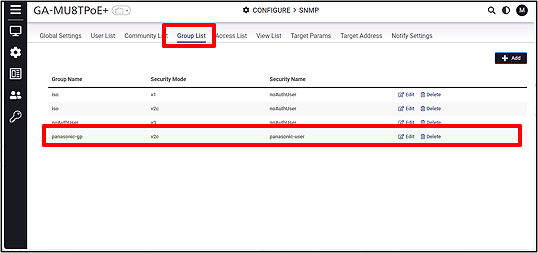
Configure the security user for the SNMP community group. (Group:panasonic-gp Security Name:panasonic-user )
Step 9.
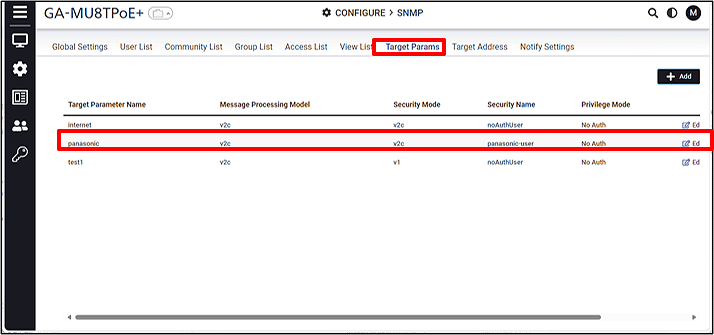
Specify the trap destination using Target Params.
Step 10.
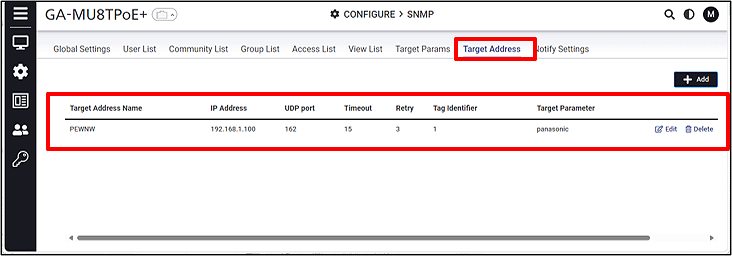
Specify the network management device that will receive the trap. (IP:192.168.1.100 Target Parameter:panasonic)
Step 11.
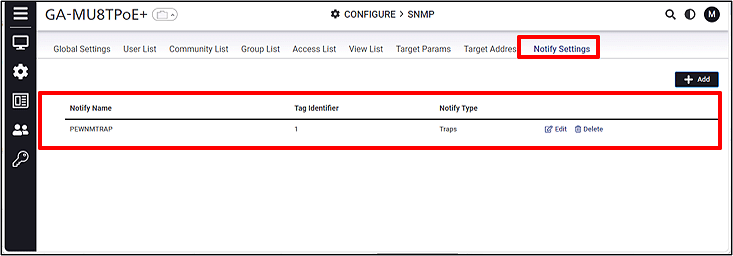
Create a Notify for sending SNMP traps. (Notify Type:Traps)
Step 12.
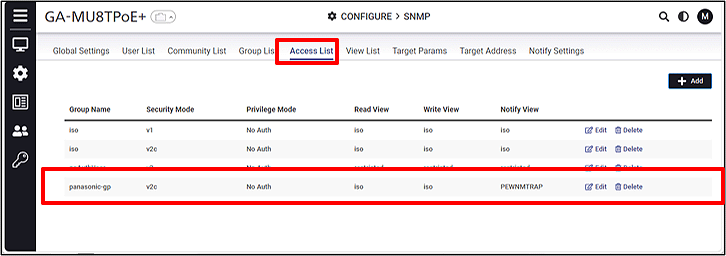
Configure the SNMP view for the group.
ここからサブメニューです。