 Panasonic Electric Works Networks Co., Ltd. > Support > Setting Examples > SNTP Setting Procedure(GA-MU/XG-MU Series)(for WEB)
ここから本文です。
SNTP Setting Procedure(GA-MU/XG-MU Series)(for WEB)
Introduction
In this setting example, we will explain the SNTP settings for the GA-MU/XG-MU series.
Applicable models
Overview
SNTP (Simple Network Time Protocol) is a protocol used to synchronize the time between clients and servers on a network.
Configuration Example
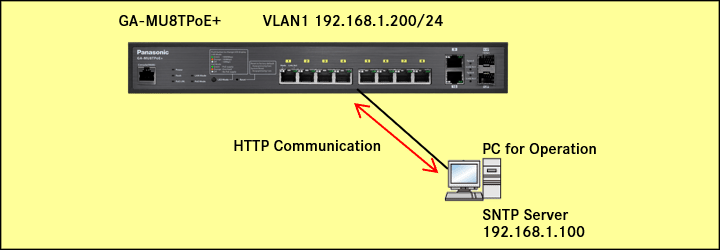
Explanation
India Standard Time (IST) is GMT+5:30
Setting Procedure
Step 1.
Connect the PC to the LAN port of the switching hub.
Step 2.
On the login screen, enter the User Name and Password to log in to the Web interface.
Step 3.
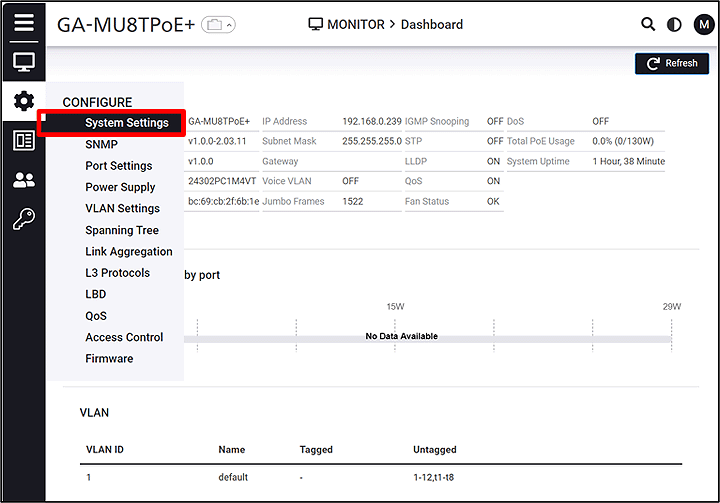
Follow the steps below to proceed to IP Settings.
CONFIGURE > System Settings > IP Settings
Step 4.
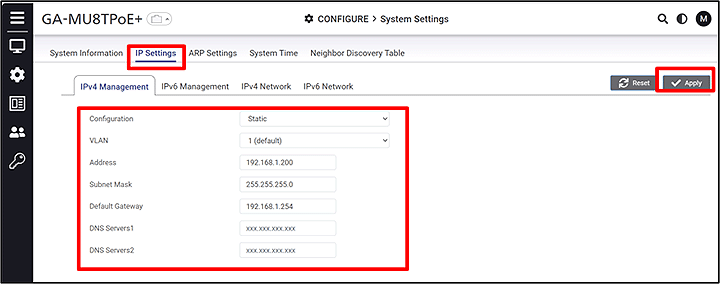
Change the IP Address. (IP:192.168.1.200 Subnet Mask:255.255.255.0 Default Gateway:192.168.1.254)
IP Settings > IPv4 Management
Step 5.
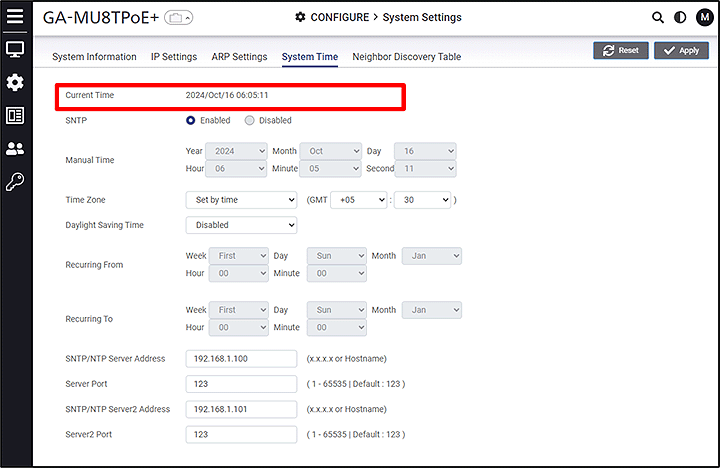
Enter the time zone, SNTP server address, and port number.(India GMT+5:30 SNTP server:192.168.1.100 Port:123)
CONFIGURE > System Settings > System Time
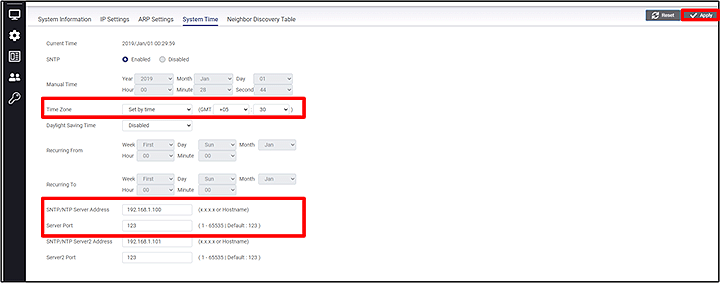
After synchronization, the time is applied immediately. There is no polling interval setting.
ここからサブメニューです。