 Panasonic Electric Works Networks Co., Ltd. > Support > Setting Examples > Reboot Flick Setting Procedure(GA-MU/XG-MU Series)(for WEB)
ここから本文です。
Reboot Flick Setting Procedure(GA-MU/XG-MU Series)(for WEB)
Introduction
In this setting example, we will explain the reboot flick setting.
Applicable models
Overview
Reboot flick is a function that performs a reboot while continuing PoE power supply.
Since powered devices are not rebooted, system downtime can be minimized.
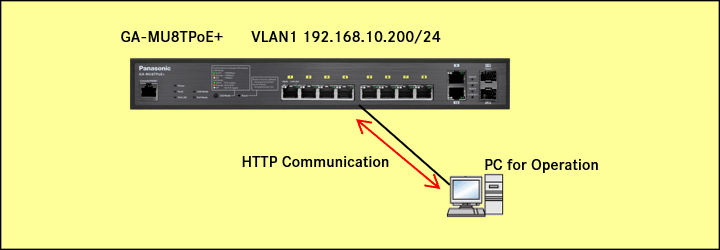
Configuration Example
Setting Procedure
Step 1.
Connect the PC to the LAN port of the switching hub.
Step 2.
On the login screen, enter the User Name and Password to log in to the Web interface.
Step 3.
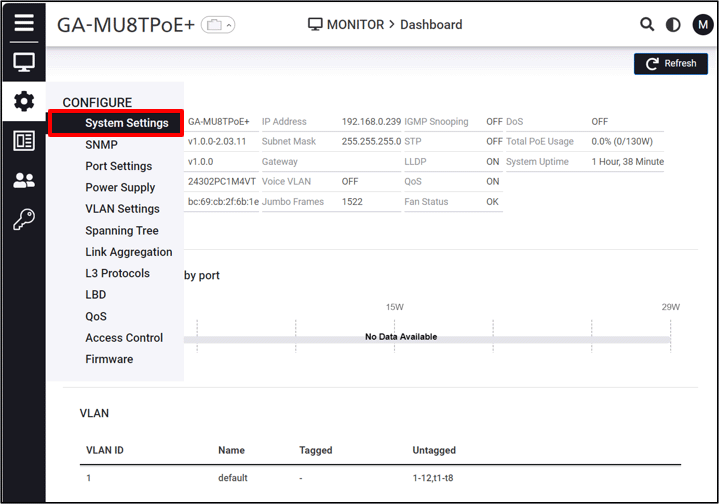
Follow the steps below to proceed to IP Settings.
CONFIGURE > System Settings > IP Settings
Step 4.
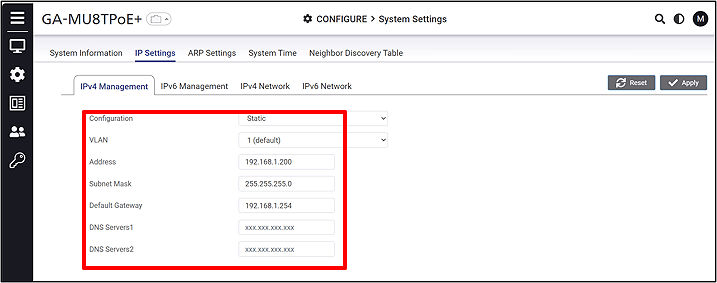
Change the IP Address. (IP:192.168.1.200 Subnet Mask:255.255.255.0)
Step 5.
Execute the reboot flick.
Manager > Continuous PoE Power
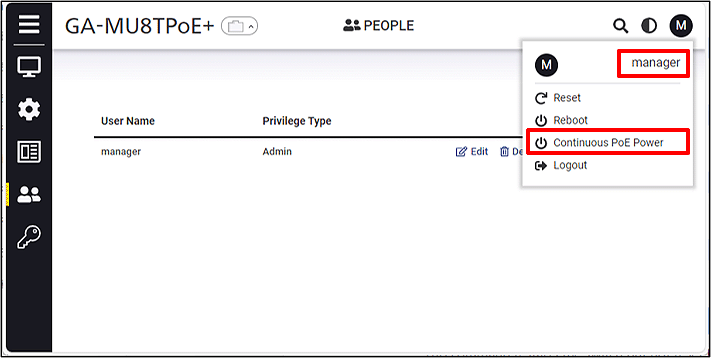
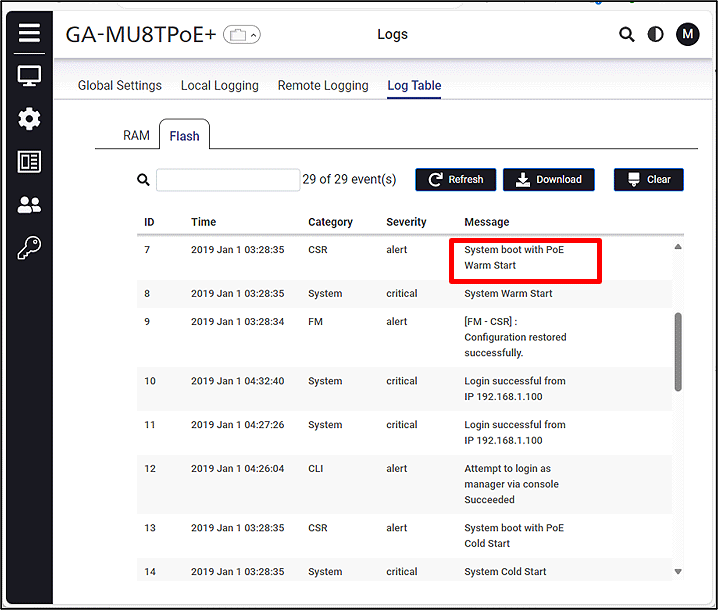
After the boot process is complete, a PoE Warm Start log is recorded in the syslog.
ここからサブメニューです。